

Imagine you are waiting for a text message with a one-time code. You cannot log in without it. And it is not just any code. It is your code, for your login attempt.
In Camunda, that is a message. Your process instance waits, and something has to publish the message that wakes it up. The boring part is that you often end up writing the same tiny “publish a message” worker again and again.
This post is about avoiding that work. With the Message Sending Connector, you can use the connector runtime to publish messages for you. You only configure message name, correlation key, and payload mapping. No custom worker code for every new message.
When A Process Waits For A Message
Let’s use a simple example. An order process reserves stock, then waits for a payment confirmation.
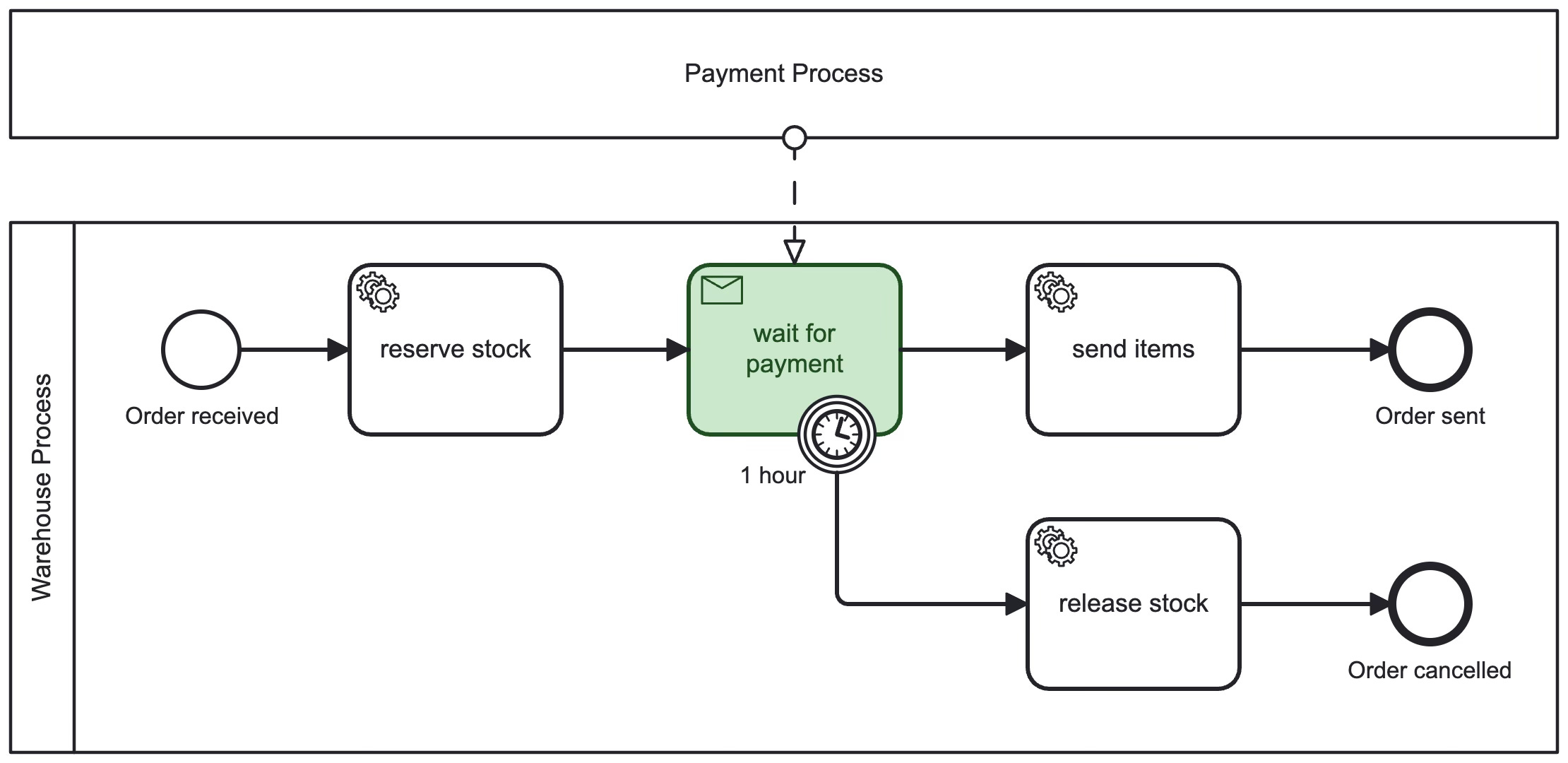
In BPMN, that waiting point is e.g. an intermediate message catch event. It means: “wait here until a message arrives.”
Many instances can be running and waiting for the same message name. So we need a way to make sure the right message wakes up the right instance.
Note: Message correlation also matters in other places, like message start or boundary events. The matching idea is the same. I use the intermediate catch example because it makes the “waiting instance” easy to picture.
A Quick Intro to Correlation
The Three Pieces: Subscription, Message, Match
When a process instance reaches an intermediate message catch event, it creates a subscription in the engine. The subscription is like a note pinned on the wall:
Message name: what the instance is waiting for (for example,
PaymentReceived)Correlation key: which instance it is meant for (for example, the
orderId)
An incoming message has the same two fields, plus optional payload data (variables).
Now the engine correlates:
Find subscriptions with the same message name.
Compare the correlation key on those subscriptions with the correlation key on the incoming message.
If there is a match, continue that instance.
If the message arrives too early, Camunda can buffer it for a limited time and correlate it later when the instance reaches the waiting point.
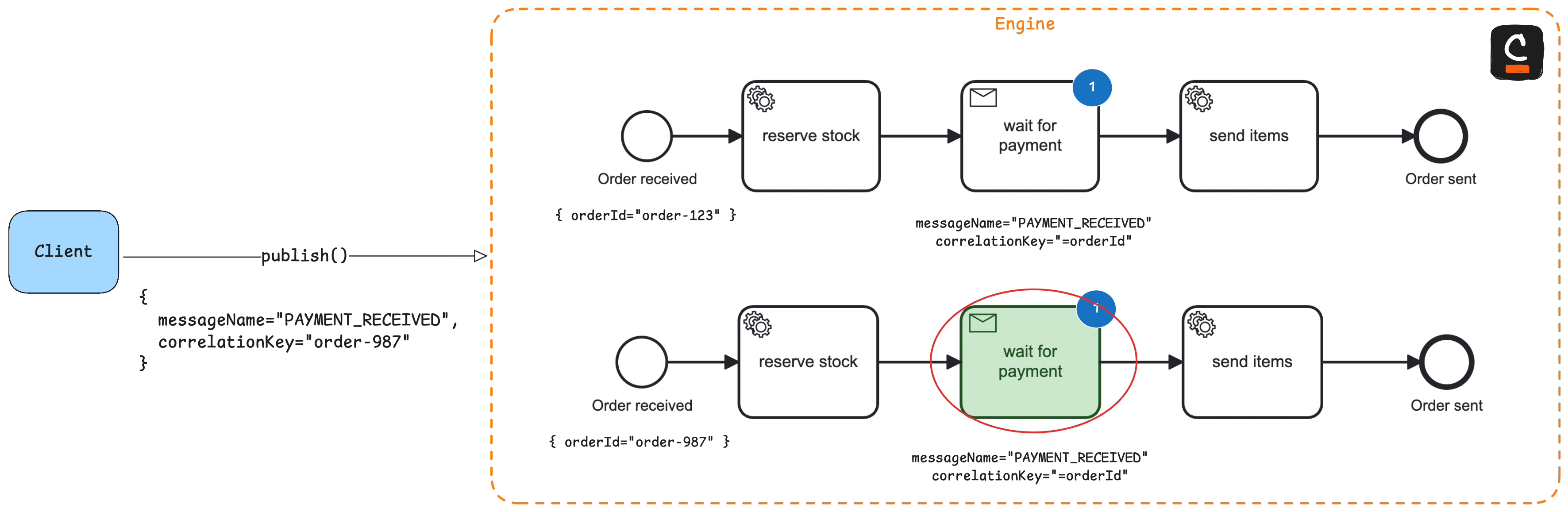
The correlation key is the address of the message.
A correlation key is usually something you already have in the business:
Order id
Claim id
The key should be stable and specific. If two instances could share the same key, it is not specific enough.
Before The Connector: A Custom Worker Every Time
Imagine you want to send a message to another process. This can be an intermediate throw and catch event, or even a message end event.
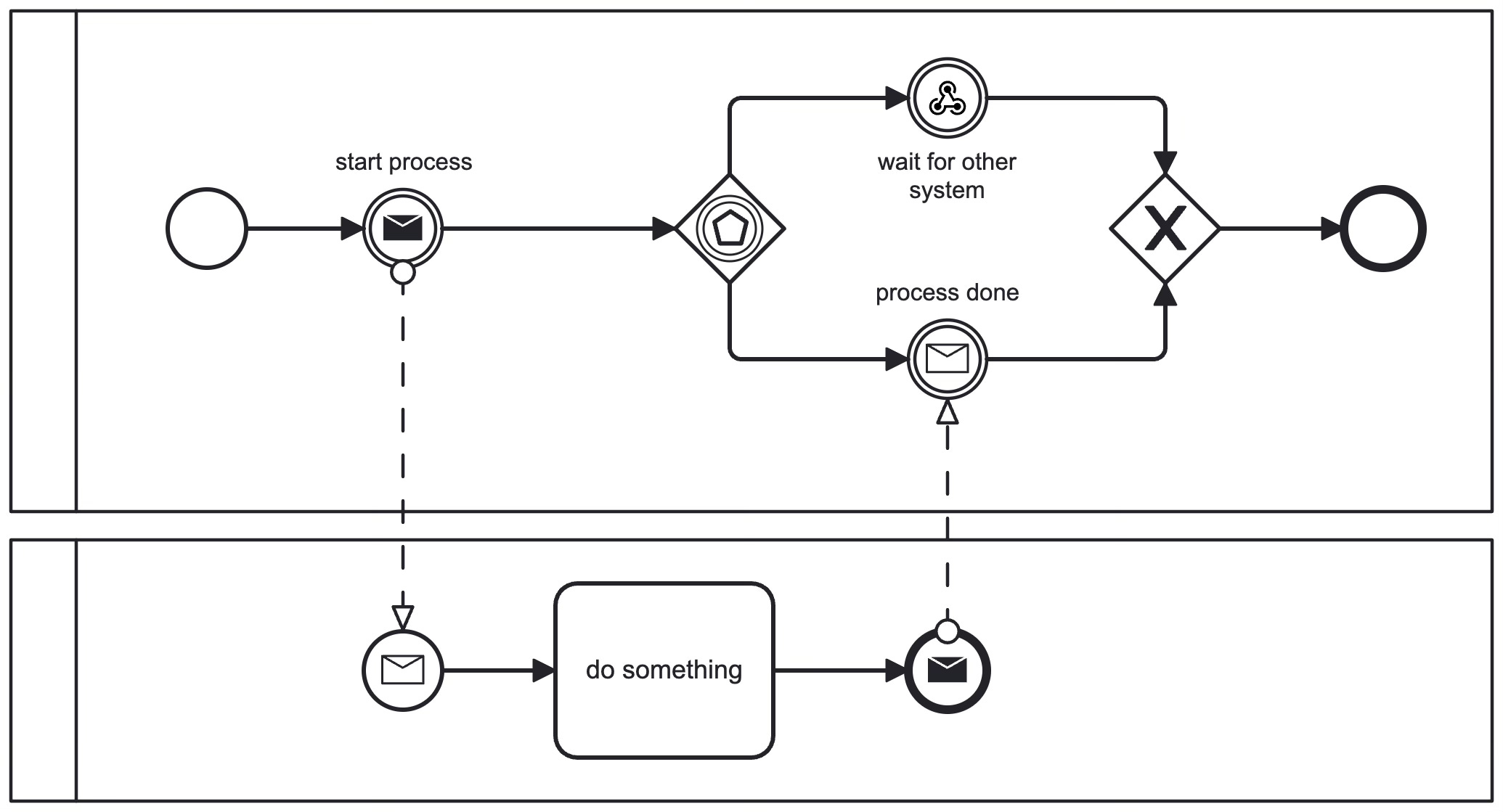
Typically, that means a small job worker that publishes the message, since the engine only waits for the external trigger. It is rarely hard, but it is repetitive. Both send events have to be implemented.
It sounds small, and it often is. But it comes with real work:
Credentials and environment configuration
Mapping and validation (what if the orderId is missing?)
Retries and operations (logs, monitoring)
And you repeat it for every process that needs message based waiting.
Here is what “publish a message” can look like in code. It can feel too small to deserve its own worker:
client.newPublishMessageCommand()
  .messageName("PaymentReceived")
  .correlationKey(orderId)
  .variables(Map.of("paymentId", paymentId))
  .send().join();
It is straightforward. But “straightforward” still means code to write, deploy, and run.
And if you have more than one process waiting for messages, you repeat the same pattern. Each new message tends to create another “small worker”, another deployment, another thing to operate.
After The Connector: Use The Runtime
The Message Sending Connector is an outbound connector that publishes a message for you. Instead of implementing message publishing as code, you model a step and configure it.
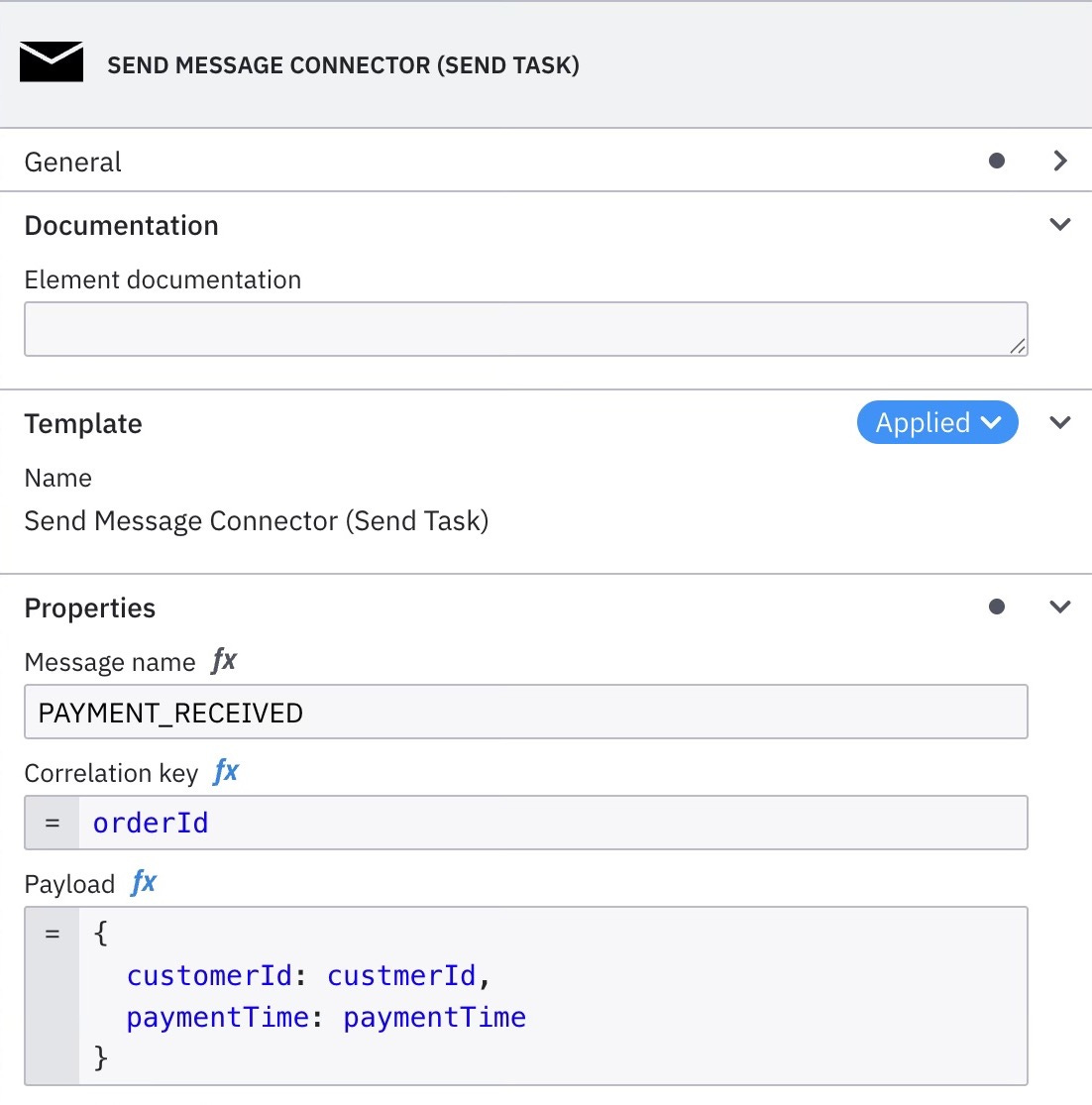
The key idea is simple: you stop rebuilding the “publish a message” runtime. You use the one you already have, if you run connectors.
It is also a nice companion to the inbound Webhook Connector. Webhooks bring events into the engine. This connector helps you send events inside the engine for inter-process communication.
What You Configure
At a high level, you configure three things:
Message name
Correlation key
Variables (payload mapping)
You still need to understand correlation. The connector cannot guess the right key for you. But it removes the repeated implementation work.
What The Runtime Gives You
The connector runtime gives you the operational basics you usually have to rebuild in custom code:
Auth and connectivity to the engine
Retries and Idempotence (via message id)
A standard place to configure and change the mapping
If you are teaching a process to talk to another process, or sending a “ping” back into a waiting instance, this connector removes a lot of friction. Your BPMN model shows clearly where the message gets published, and your runtime stays smaller.
Summary
Message correlation matches a message name and correlation key to a waiting subscription.
Before the connector, teams often implement message publishing as a small custom worker, over and over again.
With the Message Sending Connector, you configure publishing and reuse the connector runtime instead of writing worker code each time.