

Last time, I introduced you to Decision Tables, and showed you how more complex decision can be modeled, without bloating your process model.
Today, we take a look at an advanced topic, called transactions. It can happen, that we have a subset of similar tasks, that belong together. In case of an error, all of these tasks should be rolled back, some others not. For this, BPMN offers a Transaction Sub-Process. Let’s take a look.
The Weakest Link
Our IT landscape is changing rapidly. The company is introducing a brand new HR software to track vacation days. The old system is very buggy and no one is able to maintain it anymore. Errors have to be fixed manually, and data integrity is of highest priority.
Here are the requirements for our new process:
Vacation days need to be updated in the new and the very old legacy system. The legacy system is very fragile, and errors have to be fixed manually.
They need to be added to the company calendars as well, to ensure correct planning.
In case of an error in the legacy system, all related systems have to be reset to their original state. Someone has to fix it manually.
The model below shows, how the model could look like. As usual, new elements are marked green.
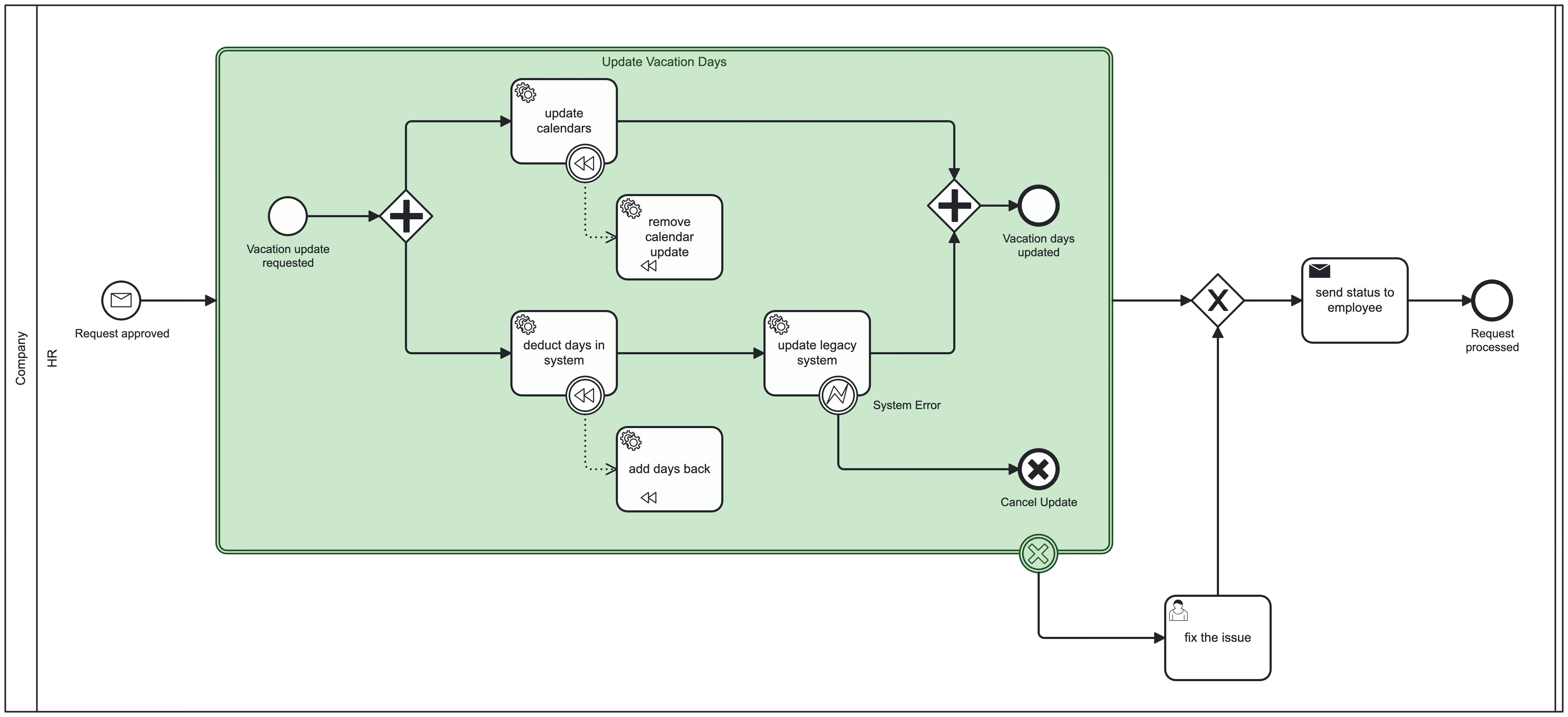
To keep this example simple, I removed all the surrounding lanes and show only the one with the changed activities.
The BPMN Building Blocks
Transaction Sub-Process: “Update Vacation Days”
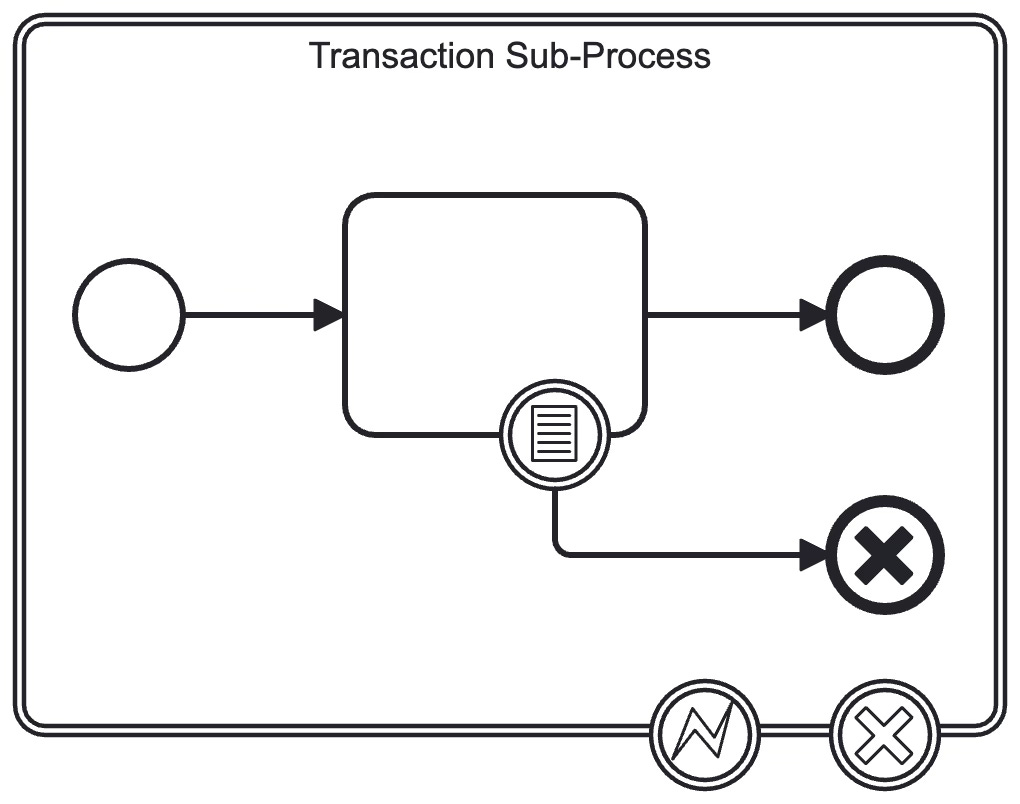
Transaction Sub-Processes have a double solid outline. They group several tasks together and allow rollbacks of all contained tasks.
Transactions are either cancelled, or terminated by an error, or successful if neither of the first two occur. A cancellation happens if a Cancel End Event is reached. A termination happens if an Error Event occurs, which is not handled inside the sub-process.
A Cancel End Event has to be catched by an attached Cancel Boundary Event. It will trigger compensation and leave the sub-process at the boundary event. It is also possible to trigger compensation later in the process, for all successful activities in a Transaction Sub-Process.
An unhandled error needs to be handled by an attached Error Boundary Event. In that case, no compensation is triggered.
Cancel End Event

A Cancel End Event is an End Event with a solid, black X in the center.
It can only be used inside of a Transaction Sub-Process. The cancel event must be handled with a Boundary Event attached to the sub-process.
Cancel Boundary Event

A Cancel Boundary Event is (like all Boundary Events) a catching event, waiting for a cancellation to be thrown from the inside. It can only be attached to a Transaction Sub-Process.
It will redirect the flow after a cancellation, and trigger compensation for all successfully executed tasks with a Compensation Boundary Event present.
What’s Next?
We’re now able to clean up parts of our system in case of errors or other events:
We can group activities and ensure system integrity for a subset of tasks.
Cancel End Events trigger compensation for the whole Transaction Sub-Process.
Unhandled Error Events trigger no compensation.
In the next post I will introduce message broadcasting to multiple process instances using Signals.