
In the BPM lifecycle, modeling and execution are only the beginning. Once processes are running, the next step is monitoring. Without monitoring, it is impossible to know whether processes are working as expected, whether they are stuck, or whether changes are needed. Camunda 8 provides a dedicated tool for this: Operate.
Operate connects directly to the workflow engine and provides visibility into running and completed process instances. It is the place where developers, operators, and business owners can check the health of their automation, resolve issues, and even update running instances when process definitions evolve.
Monitoring Processes in Real Time
When a process definition is deployed and instances are started, Operate shows every instance and its current state. You can see which activities have already been completed, which tasks are active, and where the process is waiting. This visualization is especially helpful for long-running workflows, where many steps are automated but others require manual approvals.
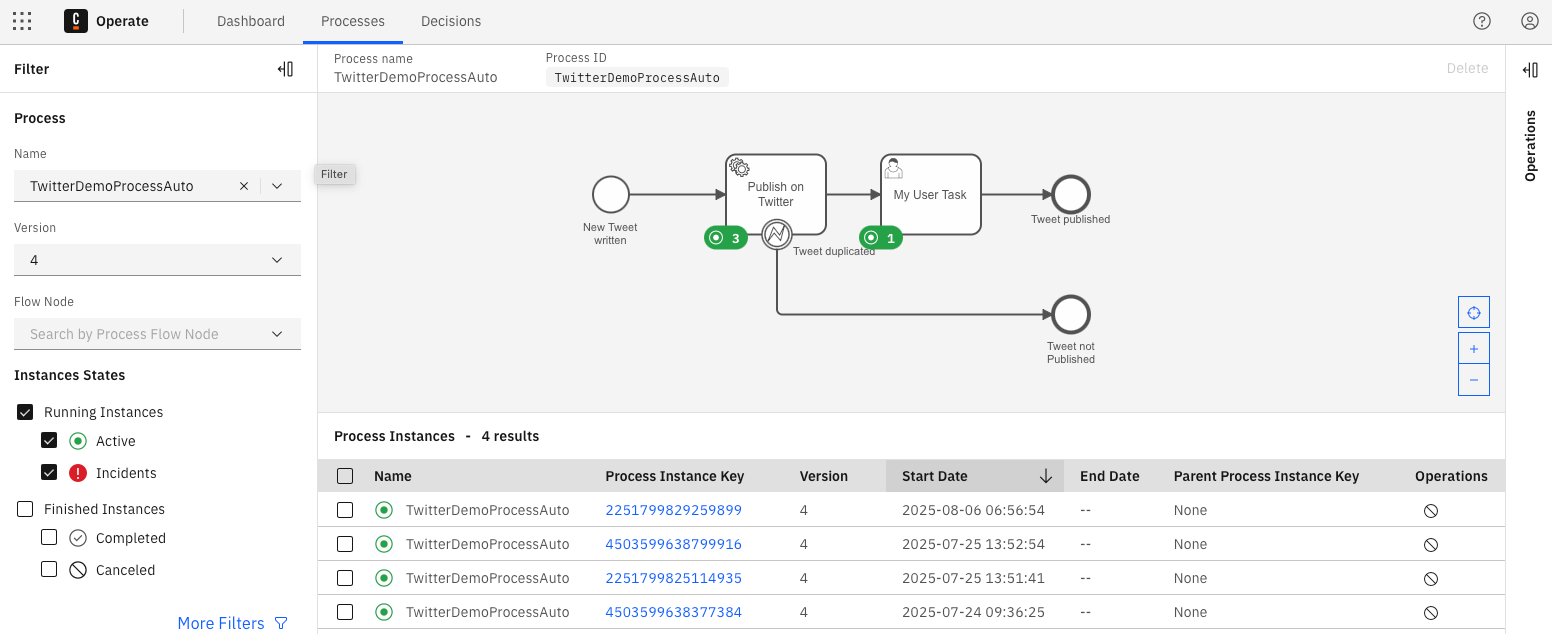
For example, in the vacation request process, Operate can show that an instance is currently waiting at the manager approval task. Another instance might already be at the HR update step, while a third has been completed. This visibility allows stakeholders to verify that processes are moving forward and to identify bottlenecks if instances pile up at specific steps.
Incident Handling
Not every process runs smoothly. Sometimes a worker fails to complete a job, an API returns an error, or a variable is missing. When this happens, Operate creates an incident. An incident marks a process instance that cannot move forward until the issue is resolved.
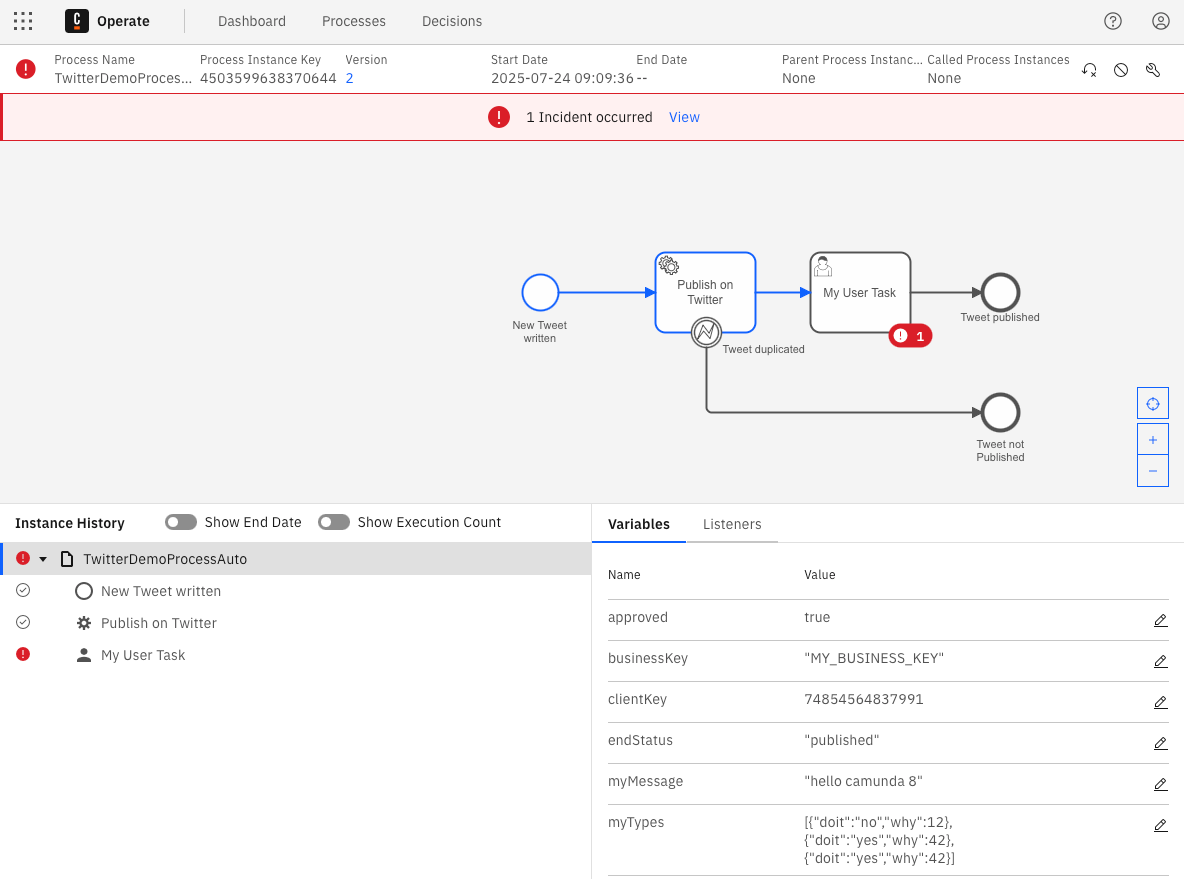
Incidents can be inspected in detail. Operate shows the failed job, the error message, and the variables that were present at the time. Operators can retry the job after fixing the problem, either by correcting variables or by resolving the underlying system issue. This ensures that a single failure does not block the entire workflow but is instead addressed in a controlled way.
Process Migration
Over time, process models evolve. A vacation request process might be extended with new approval rules or modified to include additional data checks. While new instances will run on the updated version, existing instances may still be running on the old definition. Operate supports process migration, which allows running instances to be moved from one version of a process to another. All you have to do is assign a mapping for each activity in the new version.
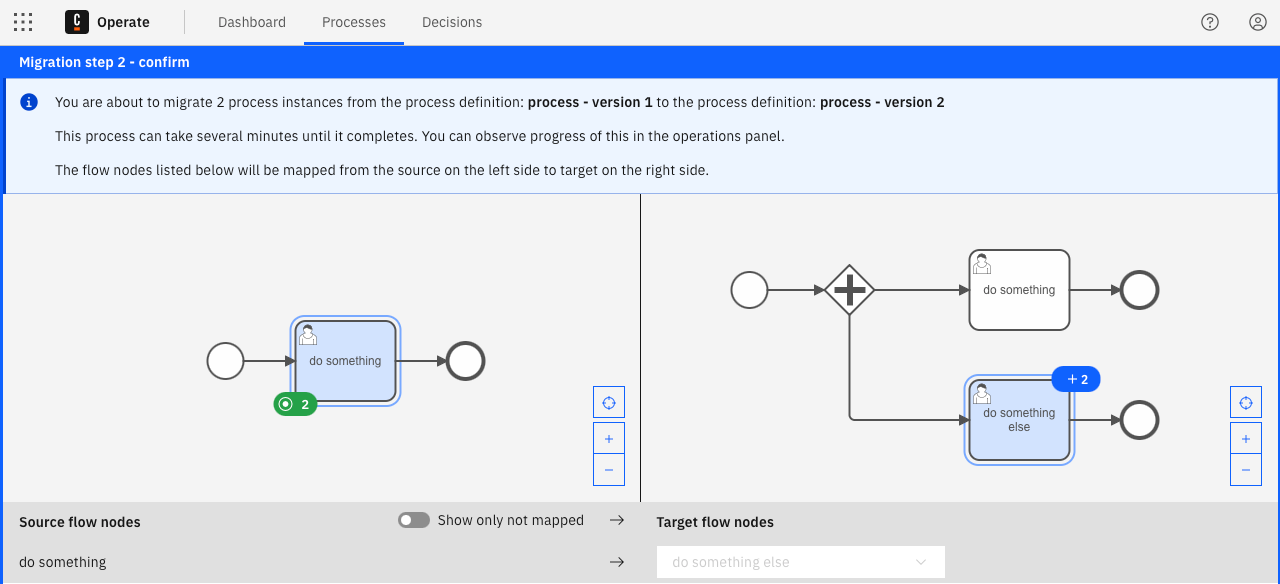
Migration ensures consistency and reduces the need to maintain multiple process versions in parallel. For example, if new compliance requirements demand that all vacation requests include a legal confirmation step, existing running instances can be migrated to the new definition. This feature bridges the gap between continuous process improvement and operational stability.
Why Monitoring Matters
Monitoring is a critical step in the BPM lifecycle because it closes the loop between modeling and execution. Without it, processes would run blindly, and issues could only be detected after they caused significant problems. Operate ensures that process automation is transparent, resilient, and adaptable to change.
By combining real-time visibility, incident handling, and migration, Operate gives organizations control over their running processes. This control builds trust in automation, as stakeholders know that processes are not only executed but also actively supervised and maintained.
Looking Ahead
Monitoring is not the end of the cycle. The final step is optimization, where data from many process instances is analyzed to improve efficiency and eliminate bottlenecks. In the next article, we will look at Optimize, Camunda’s analytics and reporting tool, and see how it supports continuous process improvement.